iOrgSoft AVCHD Converter

iOrgSoft AVCHD Converter
License:
Trial version
Language:
English
Developer:
OS:
Mac OS X
Added:
See detailed info

Softonic review

Softonic Editorial Team

“Import AVCHD video for playing on DVDs and OS X”

by Softonic Editorial Team about iOrgSoft AVCHD Converter

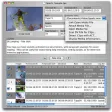
Iorgsoft AVCHD converter for Mac is especially designed for Sony, Panasonic, Canon, JVC etc AVCHD camcorder users who want to import AVCHD to various video device for playing, editing and making home DVDs in Mac OS X

AVCHD converting software for Mac supports batch converting AVCHD files to almost all popular formats including MP4, MOV, AVI, DV etc and convert HD video to HD video, HD video to SD video, SD video to SD video, audio to audio and HD/SD video to audio without downloading any codecs.

Mac AVCHD converter program aims to import AVCHD files to iPod, iPhone, PSP, iPad, Mobile Phone etc for playback, bringing AVCHD footage to iMovie, Final Cut Pro, Adobe Premiere etc for editing. You can also use AVCHD video in iDVD to make home DVDs and upload AVCHD to video sites for sharing.

Iorgsoft AVCHD converter also helps you edit videos by allowing you to merge, trim, crop, split and apply basic special effects to footage. Finally, Iorgsoft AVCHD converter for Mac can also convert, import, edit and play video in other popular formats such as MP4, MOV, MKV, MPG, RM, RMVB, FLV etc.

Iorgsoft AVCHD converter for Mac is an all purpose solution for AVCHD files.
Pros
  • Slick easy to use interface
  • Supports multiple formats
Cons
  • Conversions can take time
Download iOrgSoft AVCHD Converter for Mac 4.0.2

iOrgSoft AVCHD Converter is virus free

We have analyzed the latest version of iOrgSoft AVCHD Converter with 30 antivirus engines and it is virus free. See analysis results.

TESTED VIRUS FREE - Softonic GUARANTEED

iOrgSoft AVCHD Converter (1) User reviews

  • Very good
  • 8/10
  • niniuniu niniuniu
    User reviews
    2
    • Very good
    • 8/10
    great one, i think!

    i just use canon, so i have so many avchd ,,,mts files ,,,,i am a mac user, i always can not import my canon files to my Mac, after use this, i can import to Mac freely,,,,,,,best quality and fast... More

Your avatar
Review
  1. Maximum: 75 characters

  2. See example

Pros and Cons
Rate
  1. What rating would you give iOrgSoft AVCHD Converter?

    You need to fill in all fields

    • Usability:

      Not rated
    • Stability:

      Not rated
    • Installation:

      Not rated
    • Functionality:

      Not rated
    • Appearance:

      Not rated
    • Overall rating:

      Not rated
  2. Don't worry, we won't make your email address public.

You're not allowed to share serial numbers, cracks, etc. or link to pages that contain them. If you do, your user account will be deleted, your IP address logged and legal action will be taken.

Get started - just ask a question!

Write a title for your question.

Alternativesto iOrgSoft AVCHD Converter

  • In English:
    iExtractMP3
    iExtractMP3

    Extract MP3 tracks from FLV files

    Softonic rating:
    • 8/10
    User rating:
    • 10/10
  • Free:
    HandBrake
    HandBrake

    Free DVD to MPEG-4 ripper/converter

    Softonic rating:
    • 9/10
    User rating:
    • 7/10
Compare with iOrgSoft AVCHD Converter

Screenshots from iOrgSoft AVCHD Converter

Download rank: Converters & Encoders

56 of 110

Softonic rating:
  • Good
  • 7/10
User rating: (1 rating)
  • Very good
  • 8/10
Your rating:
Your rating
  • 0

Review and rate this program

Top Downloads: Converters & Encoders

  • United States
  • Global

  1. Great audio file format converter